
Note
Go to the end to download the full example code.
ImGui File Dialog#
Example showing how to use imgui_bundle’s portable file dialogs to load and display image files using ImageGraphic.
Demonstrates: - Creating a custom EdgeWindow GUI panel - Using portable_file_dialogs for native file selection - Loading images with imageio and displaying them
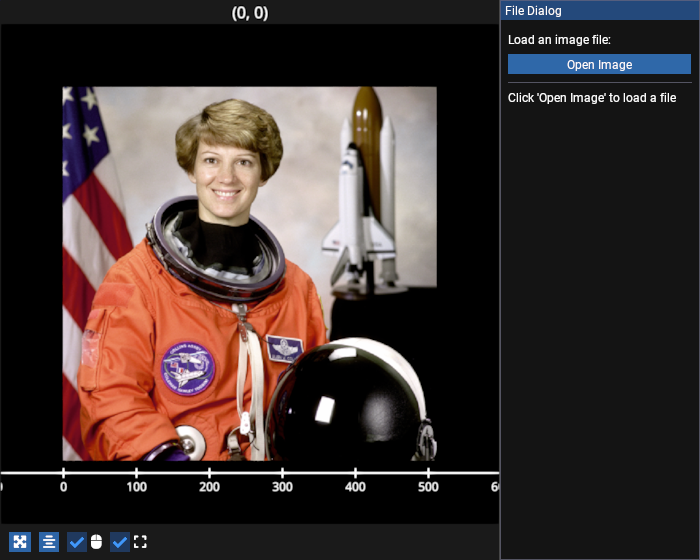
# test_example = false

import imageio.v3 as iio

import fastplotlib as fpl
from fastplotlib.ui import EdgeWindow
from imgui_bundle import imgui, portable_file_dialogs as pfd


# load an initial image from imageio's built-in images
initial_image = iio.imread("imageio:astronaut.png")

# create a figure with an ImageGraphic
figure = fpl.Figure(size=(700, 560))
image_graphic = figure[0, 0].add_image(initial_image)


class FileDialogWidget(EdgeWindow):
    """Widget with file dialog to load and display images."""

    def __init__(self, figure, image_graphic):
        super().__init__(
            figure=figure,
            size=200,
            location="right",
            title="File Dialog",
        )
        self._image_graphic = image_graphic
        self._file_dialog = None
        self._status_msg = "Click 'Open Image' to load a file"

    def update(self):
        """Render the ImGui interface."""
        imgui.spacing()
        imgui.text("Load an image file:")
        imgui.spacing()

        # open file button
        if imgui.button("Open Image", imgui.ImVec2(-1, 0)):
            self._file_dialog = pfd.open_file(
                "Select Image File",
                "",
                ["Image Files", "*.png *.jpg *.jpeg *.tif *.tiff", "All Files", "*.*"],
            )

        # check for dialog result (non-blocking)
        if self._file_dialog is not None and self._file_dialog.ready():
            result = self._file_dialog.result()
            if result:
                self._load_image(result[0])
            self._file_dialog = None

        # status display
        imgui.spacing()
        imgui.separator()
        imgui.spacing()
        imgui.text_wrapped(self._status_msg)

    def _load_image(self, filepath):
        """Load an image file and update the graphic."""
        try:
            img_data = iio.imread(filepath)

            # validate image format: must be 2D (grayscale) or 3D with 1-4 channels
            if not (img_data.ndim == 2 or (img_data.ndim == 3 and img_data.shape[2] <= 4)):
                self._status_msg = (
                    f"Unsupported format: {img_data.shape}. "
                    f"Expected (H, W) or (H, W, C) with C <= 4"
                )
                return

            # check if the new image shape matches the current buffer
            if img_data.shape == self._image_graphic.data.value.shape:
                self._image_graphic.data = img_data
            else:
                # shape mismatch: remove old graphic and create a new one
                subplot = self._image_graphic._plot_area
                subplot.remove_graphic(self._image_graphic)
                self._image_graphic = subplot.add_image(img_data)
                subplot.auto_scale()

            self._status_msg = f"Loaded: {filepath}"
        except Exception as e:
            self._status_msg = f"Error: {e}"


figure.show()

# add the file dialog widget
widget = FileDialogWidget(figure, image_graphic)
figure.add_gui(widget)


if __name__ == "__main__":
    print(__doc__)
    fpl.loop.run()
Total running time of the script: (0 minutes 0.516 seconds)