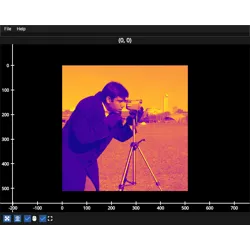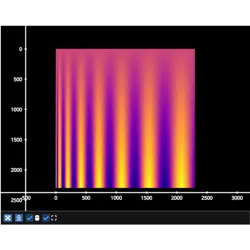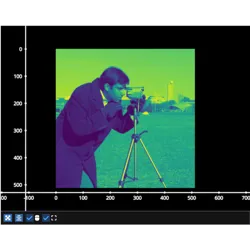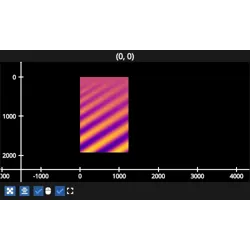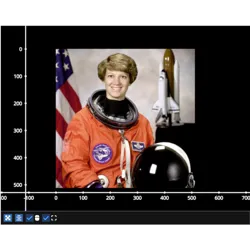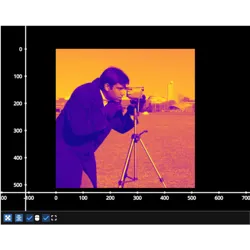
fastplotlib.ImageGraphic#
- class ImageGraphic(data, vmin=None, vmax=None, cmap='plasma', gamma=1.0, interpolation='nearest', cmap_interpolation='linear', colorspace='srgb', cpu_buffer=True, texture_usage=0, **kwargs)[source]#
Create an ImageGraphic
- Parameters:
data (array-like) – array-like, usually numpy.ndarray, must support
memoryview()| shape must be[n_rows, n_cols],[n_rows, n_cols, 3]for RGB or[n_rows, n_cols, 4]for RGBAvmin (float, optional) – minimum value for color scaling, estimated from data if not provided
vmax (float, optional) – maximum value for color scaling, estimated from data if not provided
cmap (ColormapLike, optional, default "plasma") – colormap to use to display the data. For supported colormaps see the
cmaplibrary catalogue: https://cmap-docs.readthedocs.io/en/stable/catalog/ You can also pass a list of colors or a cmap.Colormap object.gamma (float, default 1.0) – gamma correction, the value scaled by
vminandvmaxis raised to the power ofgammainterpolation (str, optional, default "nearest") – interpolation filter, one of “nearest” or “linear”
cmap_interpolation (str, optional, default "linear") – colormap interpolation method, one of “nearest” or “linear”
colorspace (one of "srgb", "tex-srgb", "physical", default "srgb") –
colorspace in which to interpret the provided data.
”srgb”: the data represents intensity, rgb, or rgba pixels in the sRGB space. sRGB is a standard color space designed for consistent representation of colors across devices like monitors. Most images store colors in this space. The shader convers sRGB colors to physical in the shader before doing color computations.
”tex-srgb”: the underlying texture will be of an sRGB format. This means the data is automatically converted to sRGB when it is sampled. This results in better glTF compliance (because interpolation in the sampling happens in linear space). Note that sampling always results in the sRGB values, also when not interpreted as color. Only supported for rgb and rgba data.
”physical”: the colors are (already) in the physical / linear space, where lighting calculations can be applied. Shader code that interprets the data as color will use it as-is.
cpu_buffer (bool, default True) –
If
True, maintains a buffer of system RAM that is sychronized with a corresponding storage buffer on the GPU. IfFalse, setting the graphic data will send the new data directly to the GPU, we also call this “bufferless”. This is much faster but lacks the following features:- you must update the entire data array, i.e. you can perform
image.data = new_data, and you cannot perform partial updates such as
image.data[indices] = <new_data_at_indices>.
- you must update the entire data array, i.e. you can perform
- RGB arrays of shape [rows, cols, 3] are not supported since wgpu does not have RGB textures,
use RGBA or use cpu_buffer=True if you really need RGB instead of RGBA.
- tooltip values for grayscale data are estimated using an inverse transforms on the colormap LUT.
The tooltip values may or may not be accurate for a given colormap and vmin, vmax. If you require precise and reliable tooltip values for grayscale data use cpu_buffer=True.
vmin, vmax must be explicitly provided if sharing an existing buffer from another ImageGraphic
reset_vmin_vmax()is not supportedselector tools will not be able to return the data under the selection
texture_usage (wgpu.TextureUsage, default 0) – Extra wgpu texture usage flags. Usage cannot be changed after the texture is created
kwargs – additional keyword arguments passed to
Graphic