
Note
Go to the end to download the full example code.
Scatter hover#
Add an event handler to hover on scatter points and highlight them, i.e. change the edge color and size of the clicked point. Fly around the 3D scatter using WASD keys and click on points to highlight them.
There is no “hover” event, you can create a hover effect by using “pointer_move” events.
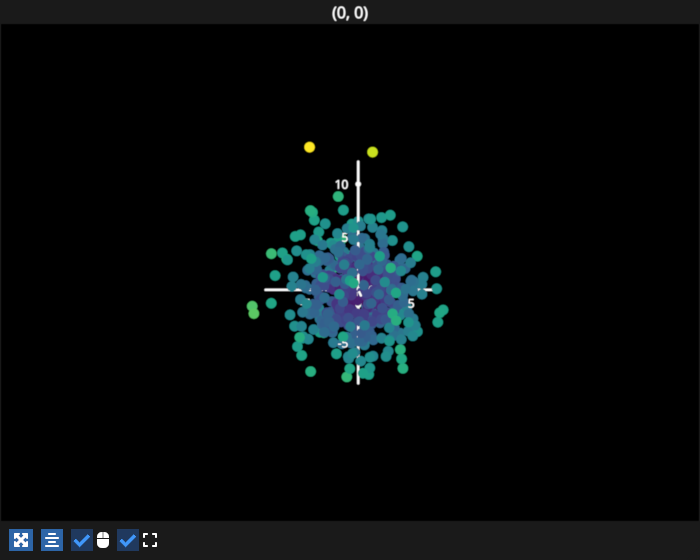
# test_example = false

import numpy as np
import fastplotlib as fpl
import pygfx

# make a gaussian cloud
data = np.random.normal(loc=0, scale=3, size=1500).reshape(500, 3)

figure = fpl.Figure(cameras="3d", size=(700, 560))

scatter = figure[0, 0].add_scatter(
    data,  # the gaussian cloud
    sizes=np.repeat(10, len(data)),  # some big points that are easy to click
    edge_colors=np.zeros((len(data), 4)),  # per-point edge colors that we will change
    edge_width=5,
    cmap="viridis",
    cmap_transform=np.linalg.norm(data, axis=1)  # color points using distance from origin
)

# simple dict to restore the original scatter color and size
# of the previously clicked point upon clicking a new point
old_props = {"index": None, "size": None, "edge_colors": None}


@scatter.add_event_handler("pointer_move")
def highlight_point(ev: pygfx.PointerEvent):
    global old_props

    # the index of the point that was just clicked
    new_index = ev.pick_info["vertex_index"]

    # restore old point's properties
    if old_props["index"] is not None:
        old_index = old_props["index"]
        if new_index == old_index:
            # same point was clicked, ignore
            return
        scatter.edge_colors[old_index] = old_props["edge_colors"]
        scatter.sizes[old_index] = old_props["size"]

    # store the current property values of this new point
    old_props["index"] = new_index
    old_props["edge_colors"] = scatter.edge_colors[new_index].copy()  # if you do not copy you will just get a view of the array!
    old_props["size"] = scatter.sizes[new_index]

    # highlight this new point
    scatter.edge_colors[new_index] = "magenta"
    scatter.sizes[new_index] = 20


figure.show()


# NOTE: fpl.loop.run() should not be used for interactive sessions
# See the "JupyterLab and IPython" section in the user guide
if __name__ == "__main__":
    print(__doc__)
    fpl.loop.run()
Total running time of the script: (0 minutes 0.106 seconds)