
Note
Go to the end to download the full example code.
ImGUI decorator#
You can quickly create imgui UIs using a decorator.
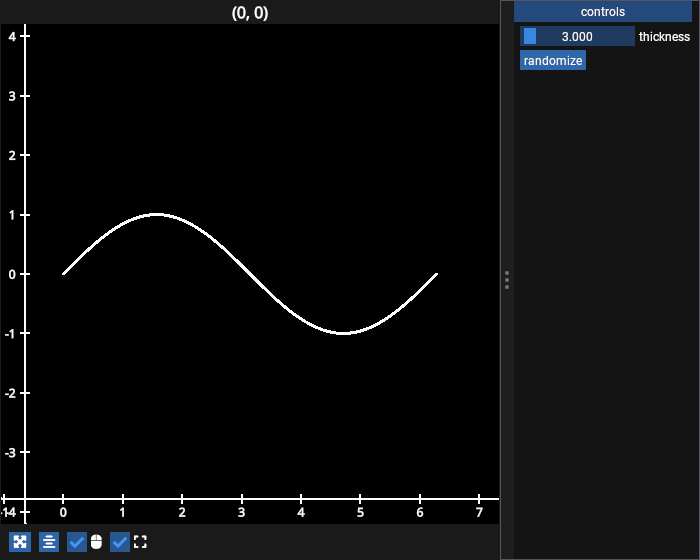
# test_example = false

import numpy as np
import fastplotlib as fpl
from imgui_bundle import imgui

np.random.seed(0)
xs = np.linspace(0, 2 * np.pi, 100)

figure = fpl.Figure(size=(700, 560))
figure[0, 0].add_line(np.column_stack([xs, np.sin(xs)]), thickness=3, name="sine")


# the decorated function draws the imgui elements
# it optionally takes the figure as its only argument
@figure.add_imgui_window(location="right", size=200, title="controls")
def gui(fig):
    line = fig[0, 0]["sine"]

    changed, thickness = imgui.slider_float("thickness", v=line.thickness, v_min=2.0, v_max=50.0)
    if changed:
        line.thickness = thickness

    if imgui.button("randomize"):
        line.data[:, 1] = np.random.rand(100)


figure.show()


# NOTE: fpl.loop.run() should not be used for interactive sessions
# See the "JupyterLab and IPython" section in the user guide
if __name__ == "__main__":
    print(__doc__)
    fpl.loop.run()
Total running time of the script: (0 minutes 0.123 seconds)